Mastering Cisco Switch Stacking: A Step-by-Step Configuration Guide
Mastering Cisco Switch Stacking: A Step-by-Step Configuration Guide

Switch stacking configuration in today's enterprise networks is a game-changer for scalability, redundancy, and reduced network management. As a beginner taking Cisco courses or a network engineer gearing up for technical roles, learning how to configure Cisco stack switches is a critical skill. In this blog by UniNets, we’ll break down switch stacking step-by-step and explore how it connects to broader IT infrastructure topics like the OSI model, load balancing, and even F5 interview questions.
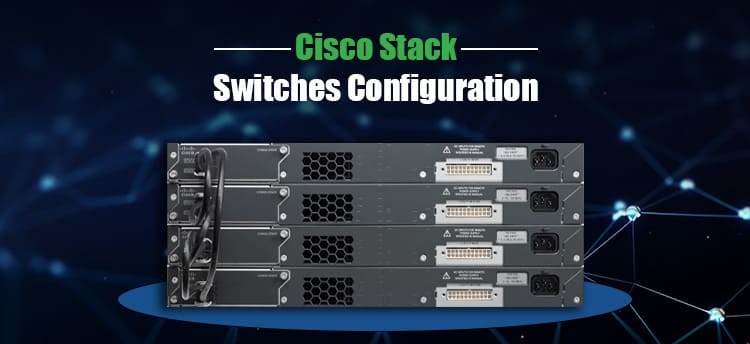
What is Switch Stacking?
Switch stacking refers to connecting multiple physical switches so that they operate as a single logical switch. This allows you to manage multiple switches using a single IP address and configuration. Instead of managing 4–5 switches separately, you manage one unified stack.
This is particularly useful in enterprise networks where high availability and easy management are paramount. Stacking also offers redundancy; if one of the switches is down, the others keep running without causing network disruption.
Benefits of Switch Stacking
Now that we have covered the basics, let's discuss the benefits:
Simplified Network Management: Single management IP for the entire stack
High Availability: Hardware redundancy and control plane redundancy
Scalability: Add more switches to the stack without extensive reconfiguration
Greater Bandwidth: Utilizing stack-wise cables offers high-speed data transfer
All these aspects contribute to stacking being a favorite among those who take Cisco training or develop enterprise-grade solutions.
Cisco Stack Switching and the OSI Model
Switch stacking requires knowledge of the OSI full form, which is Open Systems Interconnection. It's a conceptual model that standardizes communication in a network.
Switch stacking primarily takes place at Layer 2 (Data Link Layer) and Layer 3 (Network Layer):
Layer 2: All switches in the stack hold a common MAC address table.
Layer 3: When Layer 3 switches are stacked, they are also able to share routing tables.
This layer by layer structure forms the basis of Cisco courses as well as networking interview questions.
Step-by-Step: Configuring Cisco Stack Switches
Here's how you can configure Cisco stack switches in a production environment:
1. Verify Stack Compatibility
Verify that the switches are stacking compatible. They should:
Be of the same model or stacking family
Support stack-wise ports
Run compatible IOS versions
2. StackWise Cable Connectivity
Physically interconnect the switches using Cisco-supplied StackWise or StackPower cables. The cables create a ring topology, which enhances redundancy.
3. Power Up and Configure Switch Priorities
After they are connected:
Power on the switches
Set switch priority using the command
Common Challenges in Switch Stacking
Even during successful setup, engineers typically have problems such as:
Stack cable faults
IOS version mismatches
Master switch failure without redundancy
These are typical subject matter in load balancer interview questions and F5 interview questions, where redundancy and failover knowledge is usually assessed.
How Switch Stacking Relates to Load Balancing
Whereas switch stacking provides redundancy and scalability in the access/distribution layer, load balancing acts at a different layer to share traffic across servers. When you're studying for networking and application delivery roles, you'll notice common themes in F5 load balancer interview questions.
Some common F5 interview questions are:
How does F5 manage session persistence?
What is the difference between Layer 4 load balancing and Layer 7 load balancing?
What takes place if a single pool member of an F5 virtual server fails?
It is understanding switch stacking that assists in answering such questions since they demand knowledge regarding redundancy and failover within the network stack.
Cisco Courses at UniNets: Study from Real-Time Situations
If you wish to learn switch stacking and prepare for high-level networking positions, UniNets provides Cisco courses specifically designed for beginners as well as professionals. Our Cisco training includes:
Network basics
Switching and routing
Stacking, VLANs, and Spanning Tree Protocol
Hands-on labs with actual Cisco equipment
Interview preparation for Cisco and F5 technologies job interviews
Most candidates preparing at UniNets for Cisco courses also prepare for OSI model concepts, basic load balancing, and interview questions of F5.
Final Thoughts
Switch stacking setup is not simply a technical process—it's an important ability for dealing with big, trustworthy, and expandable networks. If you're attempting to set up Cisco stack switches or getting ready for load balancer interview questions, having a solid grasp of stacking, the OSI model, and Cisco training concepts puts you ahead.
At UniNets, we assist you in developing usable skills through live labs, real-world training, and mentoring by experts. Begin with our Cisco training and move a step closer to becoming a certified network engineer.